It's all optics
- This post is more than 6 months old. Circumstances or my opinions may have changed.In computer networking, if you need to send data at a rate greater than 1 gigabit/second, you’ll have to look a bit further than the ubiquitous 1000BASE-T.
10GBASE‑T — a 10 gigabit/second iteration of the 1000BASE-T standard — does exist, but it isn’t too popular. 10GBASE‑T uses the same twisted pair cables as 1000BASE-T (CAT 6/CAT 5e), but it is more power hungry (computationally intensive), higher latency, and is more expensive than other options available.
The easy option if you’re only going small distances — less than 5 meters, i.e. within a single datacenter rack — is to use DAC cables (direct attach copper, colloquially known as twinax). DAC cables can handle high speeds, and are usually cheaper than using optical networking.
However, if you need to send data further than within a single rack, at 10 gigabit/second or faster, you’ll probably want to use optical networking. In a simple form you’ll have some setup like this:

So in total, to connect two servers together via a switch, you’ll need four optics, and two fibre optic cables. This is obviously a bit more complicated than using DAC cables, where you’d just need the two cables! Such is the price of extra range and flexibility. This is all Ethernet, despite the very different physical forms.
In an enterprise setup, where you want redundancy, it gets rather more complicated. One method is to configure two switches in an MLAG (multi-chassis link aggregation group), then patch each server up to both of the MLAG switches. Once you’re patched up, configure link aggregation using LACP on the servers and switches:

The idea behind this arrangement is that you can tolerate either a switch failure, or the loss of one of the paths up to the switches — in both scenarios the server will stay connected to the network. An adjacent benefit here is that you can use the bandwidth of both links in aggregate, so long as you’re using layer3+4 packet hashing and there are multiple TCP connections.
NICs#
Servers generally do not come with networking integrated onto the motherboard like desktop PCs. Instead, external NICs are used, either in traditional PCIe slots, or via hotswappable OCP cards (these also use PCIe transport).
These allow you to configure your server based on the uplink bandwidth and amount of ports required.
Optics#
Optics are what take the electrical signals from the NIC and serialize them into the light that will be sent over the fibre optic cable. On the other end of the connection, the remote optic will deserialize the light back into electrical signals to be handled by the NIC.
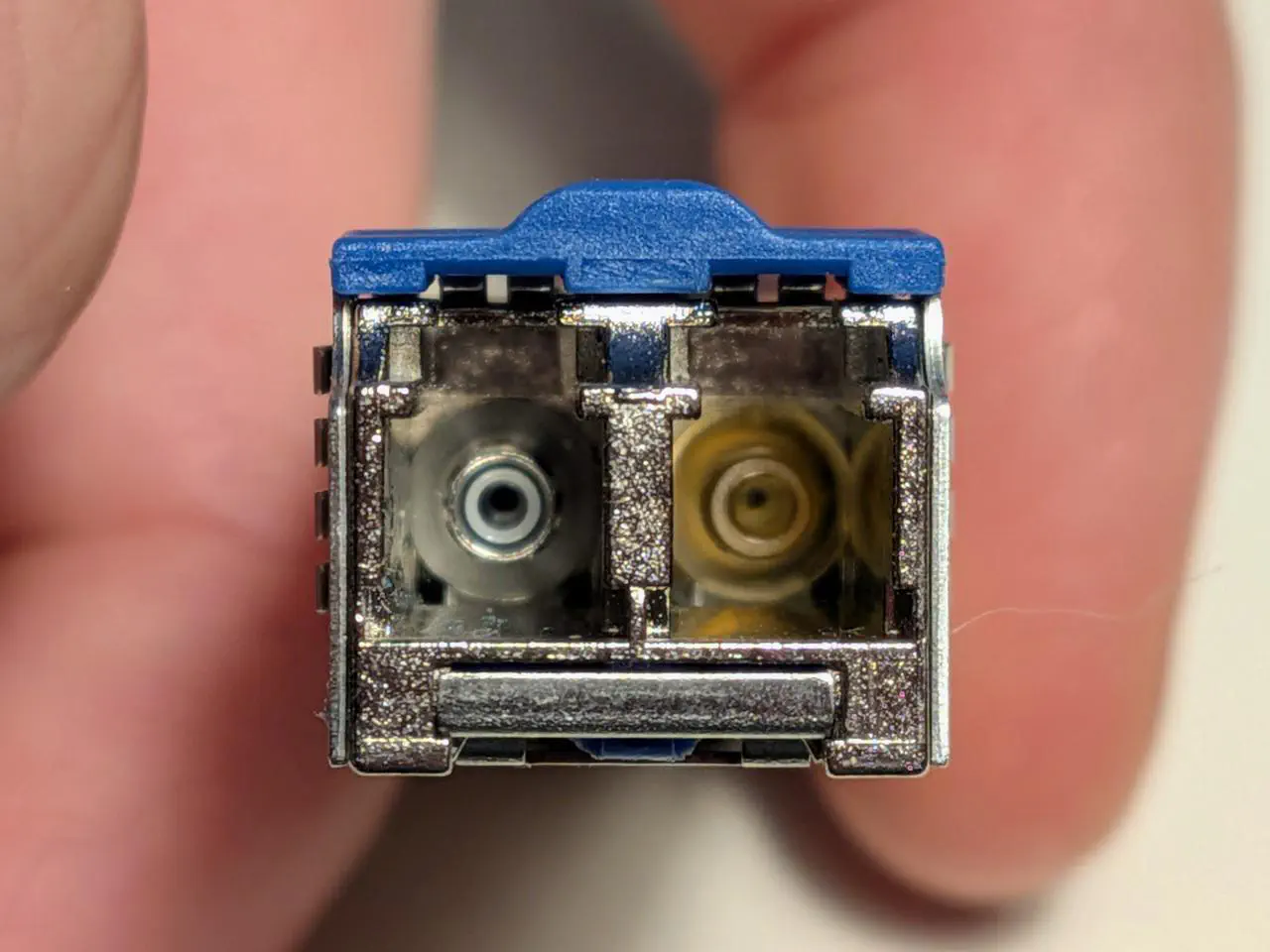
Optics vary wildly in price depending on the vendor selling them, the rated bandwidth, and the type of fibre they work with. Wikipedia has nice lists of the different standards for optics, for 40G/100G, and 200G+.
SFPs and form factors#
NIC ports and optics come in various physical form factors. These are standardized as different kinds of SFPs (small factor pluggables):
- SFP: SFP is the smallest of the SFP form-factors. There are different specifications under this size, including SFP, SFP+, and SFP28. Usually these ports handle between 1 and 25 gigabit/s speeds.
- QSFP (quad-SFP): Within this size, common specifications are QSFP, QSFP+, QSFP28, QSFP56. These ports are generally used for 40+ gigabit/s speeds. Internally, a single QSFP port is made up of four SFP ports known as lanes. This means you can do funky things, like use a “breakout” cable to connect a single 100G QSFP28 port on a switch to 4x servers, each with a SFP28 port (each server uplinked at 25G).
- OSFP (octal-SFP): the largest physical size. This is 8x SFP lanes, used for very high bandwidth connections.
Connectors#
There are three kinds of connectors I’ve encountered:
- LC: These are probably the most common connector seen in datacenters, generally in duplex (two fibre strands), where one strand is used for sending traffic (TX) and the other for receiving (RX).
- MPO: These contain many fibre strands (typically 8-24) in a single connector.
One usecase of these high strand counts is trunk cabling between racks. Say you need to connect a rack with 12 servers to a different rack which has your switch in it. In this scenario, you’ve got some options:- Run 12x duplex LC terminated cables between the racks. This can get fiddly with so many cables.
- Run a single MPO-24 cable (24 strands) between the racks. This MPO-24 cable can then terminate into a cassette on both ends, which will change the presentation into 12x duplex LC ports. From the cassettes you can then run short patch cables to the optics in the switchports and server NICs.
High strand counts are also handy for breakout applications. For example, if you have a MPO-8 connector on the 1x QSFP side of the breakout, you can split this out into 4x duplex LC connectors on the SFP side. - You can also buy cables which bundle multiple fibres into a single physical cable, but are split out at the ends. You’d probably want to use some kind of patch panel to make the cable management easier.
- SC: I’ve not seen these in the datacenter, instead commonly used for fibre-to-the-premises installs (GPON), where a single fibre strand is used (simplex).
These connectors come with different, incompatible end faces on the fibre strands. The common ones are UPC (blue connectors), and APC (green connectors).
APC connectors have favourable light loss and light return characteristics compared to UPC, which can become more important with longer fibre runs. You need to make sure if you’ve got UPC optics, you have UPC cables!
Another concern is polarity. With duplex LC connectors, you need to make sure the RX side on one optic is connected to the TX side on the other optic (and vice versa). If RX is connected to RX, you won’t get a link up! Generally you can swap the fibres round in the duplex LC connector, so it’s possible to fix at least.
This polarity problem gets worse with MPO cables and their high strand counts. Cables come in different types, A, B, and C, which are used in different cabling polarity “methods”. With an MPO-8 cable, you need to make sure the 4x TX strands hit the 4x RX strands on the other optic, in the right order.
Another thing to be a bit careful with MPO cables is that the different fibre strands don’t always line up when you mix MPO standards. You can mix and match MPO-8 and MPO-12 (the inner 4 strands of the MPO-12 will be unused). However, if you try to mix MPO-12 and MPO-24, none of the strands will line up!
Fibre optic cables#
Fibre optic cables come in two main types: multimode and singlemode. If you’ve got multimode fibre, you’ll need to use multimode optics, and vice versa for singlemode. Light in multimode fibre experiences modal dispersion, so reach is limited compared to singlemode fibre.
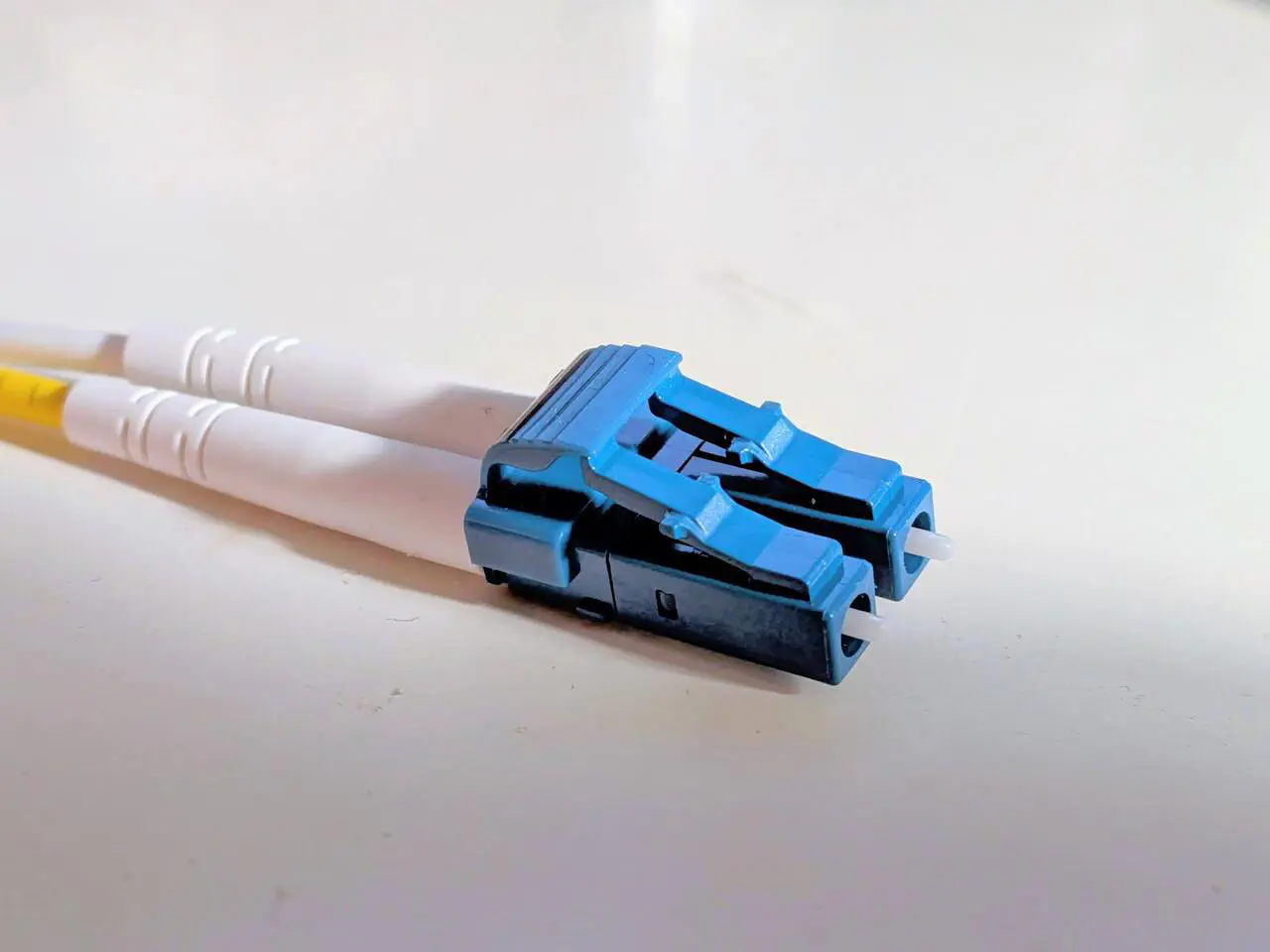
OS2 is a singlemode fibre standard, colour-coded yellow. OS2 fibre is capable of reaching 40 kilometres when used with -ER optics – much further than multimode!
Probably the most common type of multimode fibre is OM4, which is usually colour-coded aqua. OM4 supports distances of around 100 to 150 meters. OM5 is a revision of this standard, which can extend the reach of OM4 by around 50 meters.
The economics here can be tricky. Multimode cables tend to be more expensive than singlemode cables, but singlemode optics are often more expensive than multimode optics.
Historically multimode fibre would be used for shorter runs, e.g. within a DC cage, and singlemode used when longer distances are required. However, costs for singlemode optics have gone down, so multimode has become a bit rarer.
Multiplexing#
In their simplest form, optics send only a single wavelength of light down a fibre strand, but it is possible to send multiple wavelengths down a single strand — this is known as multiplexing. This is more common with singlemode fibre than multimode. There are a couple of different usecases here:
- Bidirectional optics. BiDi optics both send and receive light on a single strand of fibre (simplex). Simplex fibre is handy for the residential usecase of hiding a fibre along a wall, or under doors. G.657B3 bend insensitive fibre can be less than a millimeter wide, with a minimum bend radius of circa 5mm.
- High bandwidth. Multiplexing is useful if you want to increase your throughput over a single strand.
Higher speed links are usually made up of multiple combined lanes of traffic, and the simplest way to transport this is to use multiple strands of fibre. For example, 100GBASE-SR4 optics use 8 strands of multimode fibre, 4 for each direction, each strand running at 25G.
However, say you’re reusing an existing run of OS2 duplex fibre, you can use 100GBASE-LR4 optics instead, which multiplex 4x 25G wavelengths onto each directional strand.
Optics which use multiplexing tend to be more expensive than non-multiplexing ones — this is why multimode optics tend to be cheaper than singlemode optics!
Footnote#
There are lots of things I’ve missed out or glossed over here. FEC (forward error correction) in particular is very interesting. I’d also like to cover link auto-negotiation, but I’d need to learn how that works first! Bear in mind I’m writing from the blinkered perspective of a Linux sysadmin, rather than a network engineer or fibre tech — I’ve never spliced a fibre!
Page last updated by 8669cd8 - 2026-11-01:
feat: optics: undraft
Comments:
Send me a comment by emailing comments@george.honeywood.org.uk, with the subject line "optics".